



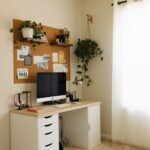




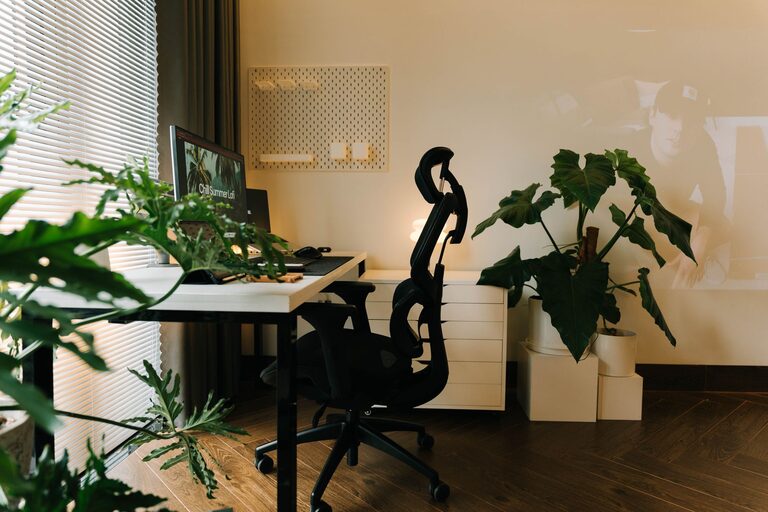
Creating a home workspace that is both cozy and productive can transform the way you work and how you feel throughout the day. Whether you work remotely full-time, freelance, or just need a dedicated area for tackling personal projects, a well-designed space can help you stay focused, motivated, and comfortable. Here are some practical tips to help you create a home workspace that supports both productivity and relaxation.
1. Choose the Right Spot
Your workspace location sets the tone for your entire workday. Ideally, pick a spot with:
– Plenty of natural light: Natural light helps reduce eye strain and improves mood.
– Minimal distractions: Choose a quiet corner, away from the TV or high-traffic areas.
– Proper ventilation: Fresh air promotes concentration and energy.
If space is limited, even a small nook with good lighting can be turned into an effective workspace.
2. Invest in Ergonomic Furniture
Comfort is key to staying productive. Ergonomic furniture supports your body and reduces strain.
Desk
– Choose a desk size that fits your needs and space without crowding the room.
– Consider adjustable desks or standing desks to alternate between sitting and standing.
Chair
– Invest in a supportive chair with adjustable height, lumbar support, and comfortable cushioning.
– A good chair encourages proper posture, which helps prevent back and neck pain.
3. Organize with Purpose
An organized workspace helps you stay focused and reduces stress.
– Declutter regularly: Keep only essential items on your desk.
– Use organizers: Drawer dividers, pen holders, and filing trays keep supplies in place.
– Cable management: Use clips, ties, or cable boxes to keep wires tidy.
4. Personalize Your Space
Adding personal touches makes your workspace inviting and inspiring.
– Include items that make you happy or calm, such as photos, plants, or artwork.
– Choose colors that promote focus and calm—soft blues, greens, or neutrals are great options.
– Avoid overcrowding your space with too many decorations, which can be distracting.
5. Optimize Lighting
Good lighting reduces eye strain and sets the mood.
– Combine natural light with adjustable task lighting.
– Use lamps with a warm light tone for a cozy atmosphere.
– Position your computer monitor to avoid glare from windows or lights.
6. Keep Technology in Check
Your tech setup should enhance productivity without causing frustration.
– Ensure your internet connection is fast and reliable.
– Use quality peripherals (keyboard, mouse, headphones) that feel comfortable.
– Regularly update your software and devices to avoid distractions and downtime.
7. Incorporate Break and Movement Areas
Even in a small space, including an area to stretch or relax helps refresh your mind.
– Place a comfortable chair or cushion nearby for quick breaks.
– Keep space clear to do simple stretches or standing exercises.
– Set reminders to take short breaks to avoid burnout.
8. Maintain Consistent Habits
Creating a cozy workspace is only part of the equation. Developing good work habits will maximize its benefits.
– Start and end your workday at consistent times.
– Keep your workspace clean at the end of each day.
– Use the space only for work to build a mental boundary between work and relaxation.
—
By thoughtfully designing your home workspace with these tips, you can cultivate an environment that feels both cozy and conducive to productivity. Remember, a successful workspace reflects your specific needs and preferences, so feel free to experiment and adjust until you find what works best for you.